
WeLastseen: Chat App tracker
GIYASTARTools
3.2254.00 Reviews
- Version
- 2.2.40.365
- Installs
- 10.00M
- Age Rating
- Everyone
Screenshots
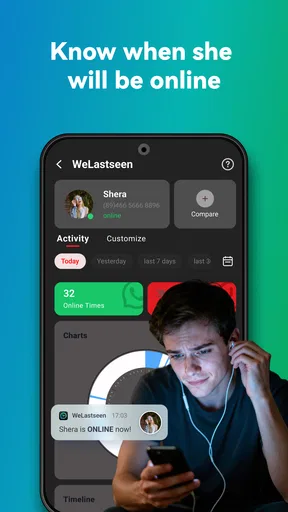
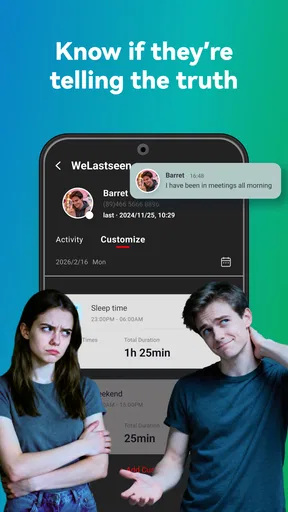
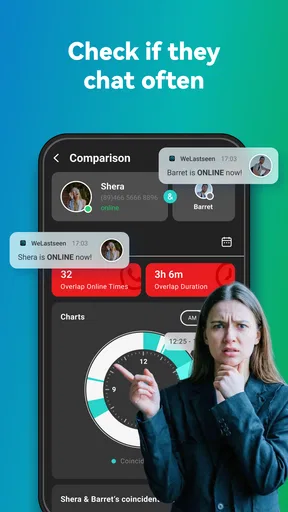
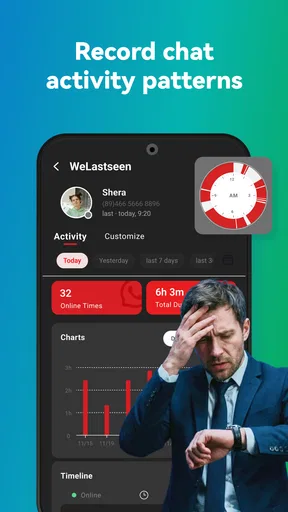
Our Review of WeLastseen: Chat App tracker
 Analysis by Appyee
When I judge a chat-activity tracker, I look beyond whether it can show an online change. The more useful question is whether its alerts fit ordinary routines, whether the information is easy to interpret, and whether watching someone’s status will actually help with a decision. WeLastseen is built around that narrow purpose: it helps users follow online and offline activity in chat apps. I’d treat it as a coordination tool, not a substitute for a conversation or a way to infer what someone is thinking.
Readability and navigation in a focused tool
WeLastseen is a free tools app from GIYASTAR, and its basic appeal is easy to grasp: you want a status change to be easier to notice than repeatedly opening a chat and checking manually. The audience is broad, with an Everyone age rating, but the subject matter still calls for mature judgement. Seeing a status is not the same as knowing why someone is online, or whether they are available to reply.
The app’s interface felt straightforward to me, and I didn’t feel overwhelmed when moving through its features. That simplicity matters in an app whose purpose is already quite specific. A person looking for a full messaging service, shared calendar, or team task manager should choose one of those instead; this tool is about activity tracking, not organizing a group’s work.
For someone who finds frequent manual checking distracting, notifications can offer a different workflow: set an alert for a relevant online or offline change, then return to other tasks rather than reopening the chat again and again. That can be useful when timing matters, but it can also turn a small convenience into another stream of interruptions. I’d begin with only the alerts I genuinely need and reconsider them if they start drawing attention away from the day.
Motor and sensory considerations
There is a practical accessibility benefit in receiving a notification instead of having to navigate repeatedly through a chat app to check a status. Fewer repeated taps can make a routine easier for someone who finds frequent interaction tiring or inconvenient. I would still test how the app fits a person’s own device habits rather than assume that a simple interface works equally well for everyone.
Notifications also have a sensory trade-off. An alert may help someone who would otherwise miss a change, while repeated alerts may be distracting in a quiet setting, during focused work, or for anyone sensitive to interruptions. A sensible approach is to use tracking selectively and review the settings if the alerts become noisy. The best setup is not the one that reports every change; it is the one that gives useful information without making the phone harder to live with.
For readers who rely on larger text, screen-reading tools, or other device-level adjustments, the sensible first step is to try the app with those settings enabled and see whether the screens remain comfortable to use. I wouldn’t assume that a clean layout guarantees that every control or notification will suit every access need. If the app is difficult to operate with your usual settings, a manual check inside the chat app—or simply asking the person when they are free—may be less frustrating.
When status tracking helps—and when it doesn’t
A realistic use case is coordinating a call with a friend who lives in another time zone. Instead of sending several “Are you free?” messages, I could use a status alert as a rough cue to choose a reasonable moment to reach out. It still would not tell me whether that person can talk, so I’d send a normal message and wait for an answer rather than treating an online indicator as permission to interrupt.
The same distinction matters for family use. A parent may be tempted to treat activity information as a safety check, but an online status cannot confirm a child’s wellbeing or explain what they are doing. I would not rely on it in place of direct communication, agreed family boundaries, or appropriate supervision. Used transparently and for a limited coordination purpose, it may offer context; used secretly or as proof of someone’s intentions, it can undermine trust.
Compared with manually opening a chat app, a tracker’s main potential advantage is convenience: it can make changes easier to notice without repeated checking. Compared with simply asking someone when they are available, though, it is less direct and can be less reliable as a guide to their plans. For work teams, a shared calendar or a clear availability message is usually better because it communicates intent, not merely activity. The right alternative depends on the problem: status tracking may help with timing, while conversation and scheduling tools handle availability more honestly.
Limits, judgement, and a careful setup
Online indicators are easy to overinterpret. A person can appear active without being ready to respond, and a delayed reply does not necessarily mean anything beyond being busy. That makes the detailed activity information a possible source of misleading certainty. I’d use it only to answer a narrow question—roughly, when might be a considerate time to get in touch?—and avoid turning a pattern into a conclusion about a relationship or someone’s habits.
There is also a practical cost to monitoring: once alerts are enabled, it is easy to spend more attention on another person’s status than the coordination task requires. One useful rule is to decide in advance what decision the alert will support, such as choosing when to send a call request. If no clear decision follows from the information, tracking may not be worth the extra notifications. This keeps the app from becoming a reason to check more often rather than less.
Before relying on any tracking app, I recommend reviewing its current privacy information and considering what account or device access it asks for. The existing privacy language around data handling should be read directly rather than treated as a reason to skip your own checks. I’d also discuss tracking openly with anyone whose activity is being monitored, especially within families or teams. Consent and clear expectations matter more than the convenience of an alert.
The app is free to install, with optional in-app purchases listed from $4.99 to $29.99 per item. I’d try the basic experience first and pay only if a specific feature solves a recurring problem for me. It has an average rating of 3.5 from around 33,000 ratings, and more than 10 million installs. Those figures suggest that many people have tried it, but they do not tell me whether its approach will suit an individual’s privacy expectations or notification preferences.
The current version is 2.2.34.320, and it requires Android 5.0 or later. The app was released on January 6, 2023. If you are comparing options, check that the version available for your device supports the workflow you want before building a routine around it. Someone who needs dependable team availability, detailed parental controls, or an accessibility setup that has to work in a particular way should assess those needs directly rather than assume a status tracker covers them.
Getting Started with WeLastseen
Downloading and setting up WeLastseen is a breeze. It’s available on both Android and iOS, so you’re covered no matter your device preference. Once you have it installed, the user interface is super intuitive. I didn’t feel overwhelmed at all when navigating through the different features. It's like they designed it just for me, someone who wants efficiency without all the fuss.
Features That Stand Out
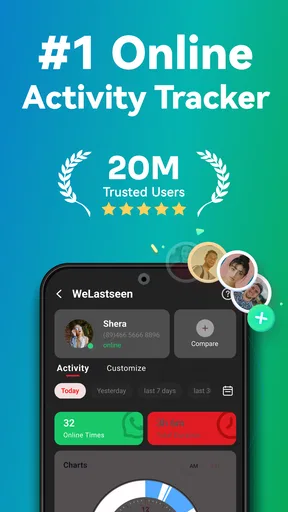
Alright, let’s talk features. The app’s ability to monitor online activity on various chat platforms is its main draw. It offers a comprehensive look at when someone was last online, which can be a game-changer if you’re trying to coordinate with people in different time zones or just want to keep tabs for personal reasons.
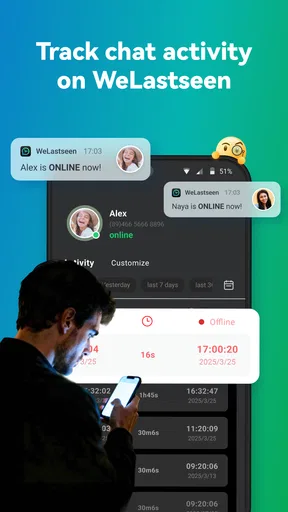
Another cool feature is the notification system. You can set alerts for when someone logs on or off, so you’re always in the loop. No more guessing games about whether your message has been seen or not. The app also provides detailed statistics like how long someone was online, which is pretty nifty if you’re into analyzing patterns.
User Experience
The user experience is smooth and straightforward. I appreciate how the app doesn’t bombard you with ads or unnecessary prompts. It’s clean and focused on delivering what it promises. The settings menu allows for customization to suit your needs, which is always a plus in my book.
One thing worth mentioning is the app’s performance. It runs seamlessly without draining your phone’s battery, which is a relief because, let’s be honest, nobody wants an app that’s a battery hog.
Privacy Concerns
Now, I know what you’re thinking—what about privacy? The app developers emphasize that they don’t store your data, which is reassuring. However, it’s always good to be mindful of what permissions you’re granting when you install any tracking app. I’d recommend taking a moment to go through the privacy policy just to be extra sure.
Who Would Benefit the Most?
This app is perfect for anyone who wants to keep an eye on their loved ones’ online activity for legitimate reasons. Whether you’re a parent ensuring your kids are safe online or someone coordinating with a team across different time zones, WeLastseen provides valuable insights.
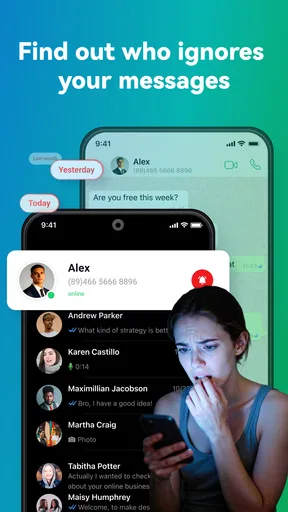
It’s also a handy tool for those who just want to manage their time better and coordinate with friends without the hassle of crossing wires. I mean, who hasn’t struggled with that one friend who’s always "online" but never replies?
Final Thoughts
Wrapping it up, I’d say WeLastseen: Chat App Tracker is worth checking out if you’re looking for a reliable way to monitor online activity without all the extra noise. It’s user-friendly, efficient, and doesn’t skimp on the features that matter. Just remember to use it responsibly, as with any app that deals with personal data.
So, if you’re curious and want to give it a whirl, why not head over to your app store and see what all the fuss is about? You might just find it’s the app you never knew you needed.
Verdict
Strengths of WeLastseen: Chat App tracker
- Easy-to-use interface for quick navigation.
- Real-time updates on chat activity.
- Supports multiple chat platforms.
- Customizable notifications for alerts.
- Lightweight app with low memory use.
Limitations of WeLastseen: Chat App tracker
- Requires internet connection to function.
- Limited features in the free version.
- May drain battery with constant updates.
- Privacy concerns over data access.
- Ads can be intrusive in free mode.
Similar Picks in This Category
View All
Google LLC4.0

Gboard - the Google Keyboard
Google LLC4.5

Google Play services
Google LLC4.3

Google Play Store
Google LLC4.9

Files by Google
Google LLC4.5

SHAREit: Transfer, Share Files
Smart Media4U Technology Pte.Ltd.4.3
Frequently Asked Questions
What is WeLastseen and how does it work?
WeLastseen is a chat app tracker designed to monitor the online activity of specific contacts on popular messaging platforms. By providing real-time alerts and detailed logs of online status, it helps users keep track of when someone is active. It uses non-invasive methods to gather data, ensuring privacy and compliance with platform policies.
Is WeLastseen safe to use?
Yes, WeLastseen is safe to use. It prioritizes user privacy and operates within legal boundaries by not accessing private messages or violating platform terms. The app only tracks publicly available online status information. Users are advised to use it responsibly and respect the privacy of others.
Can WeLastseen track any type of messaging app?
WeLastseen primarily supports popular messaging platforms like WhatsApp and Telegram. It may not be compatible with every app, as it depends on the availability of public online status data. Users should check the app's compatibility list to ensure it supports the messaging service they are interested in tracking.
How accurate is the online status tracking in WeLastseen?
WeLastseen provides highly accurate tracking of online status, offering real-time notifications and detailed logs. However, minor discrepancies can occur due to network delays or changes in the messaging app’s status update protocols. Users can rely on it for near real-time monitoring but should allow for occasional minor deviations.
Are there any legal concerns with using WeLastseen?
While WeLastseen adheres to legal standards, users should be aware of privacy laws in their region. Tracking someone’s online status without their consent might not be permissible everywhere. It’s crucial for users to comply with local regulations and use the app ethically, ensuring they respect the privacy and rights of others.
